 Duel
Duel  Promotions
  Search
  Chat
Chat 
Duel Registration Guide and Login Steps
When you complete the Duel sign up process, you’ll be able to participate in all our real money activities. All our games will be unrestricted, you’ll be able to make deposits, claim bonuses, place real money bets and request withdrawals. Also, if you encounter any form of issue, our customer support channels are available to you. Within our catalogue, Brits will find slots, such as Duck Hunters, Fruit Party 2, The Dog House, Wild West Duels, table games, live casino titles and game shows. To create your account and make a Duel Casino login, there are some different channels.
How to Set Up Your Duel Casino Account
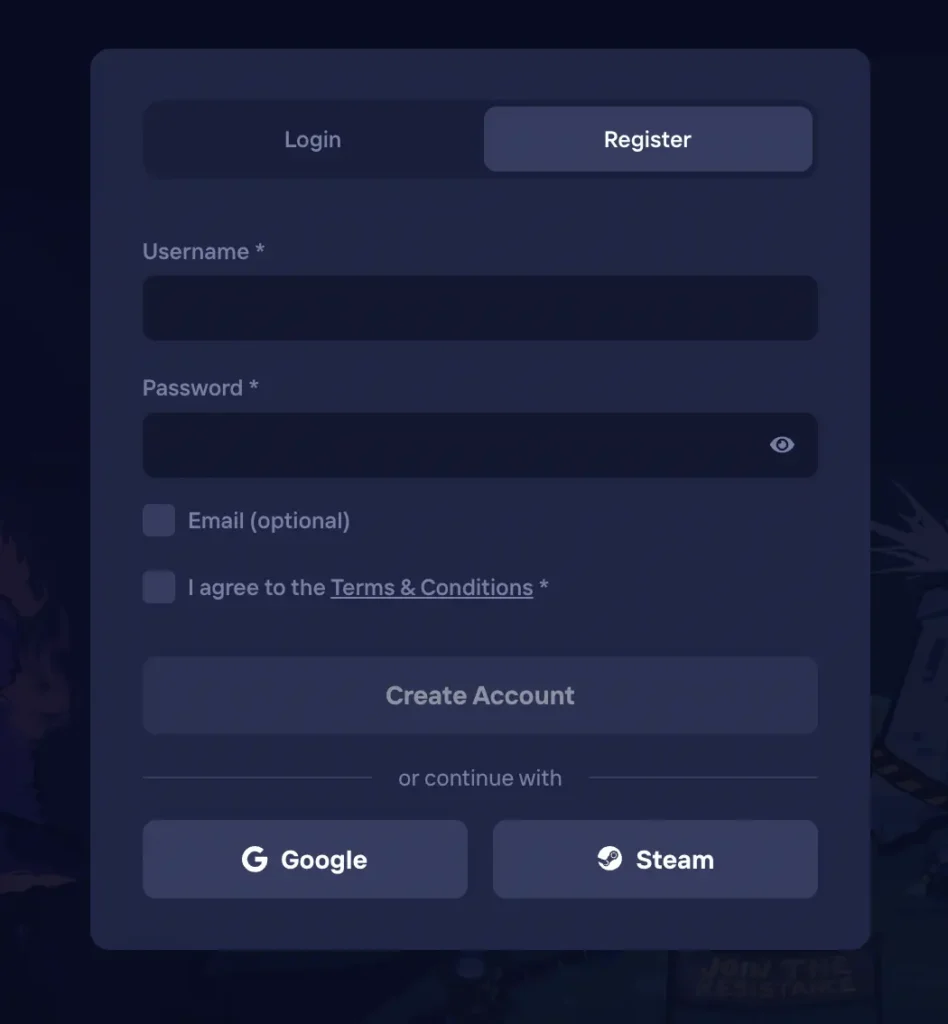
Gamblers from the UK can quickly complete their registration and make a Duel login by first visiting our site either on desktop or mobile and use these simple steps:
- Open Sign Up – From the homepage, click on the “Register” option.
- Enter Details – Provide a username, your email, paste a referral code if you have any and set a password.
- Agree to T&Cs – Tick the box to agree to our terms and conditions and click on “Create Account”.
Alternatively, you can make a casino Duel registration using your existing Google or Steam account. Tap on the “Google” or “Steam” icon to navigate and enter the details of your current Google or Steam account.
Requirements for Duel Sign Up
To successfully create your Duel account, we don’t need many details. You’re only required to provide basic information. Some of the registration requirements are:
- You are 18
- Your email address
- Your username
- Login details to your Steam or Google account
Additionally, you require a device that will give you access to the internet. You can choose to use a smartphone, a tablet or a computer for this purpose. With all these, you’ll be able to provide your details and ultimately make a Duel Casino login.
Account Verification
As a law-abiding online casino, our regulatory agency requires that all account holders verify their credentials before they can use their accounts for real money gambling. This KYC process to ensure that there are no irregularities being perpetuated using our platform. We’ve made the process easy for UK players, and you can upload the required documents immediately after your Duel login.
| Verification | Acceptable Documents and Purpose |
|---|---|
| Identity | Upload any government issued means of ID such as your international passport or driving licence. |
| Address | Add either a utility or phone bill or a bank statement with your name and address displayed clearly. |
| Payment | Send a screenshot or photo from an online banking platform, a bank statement, showing the deposit, the receiving company and amount paid. |
Duel Casino Login Process
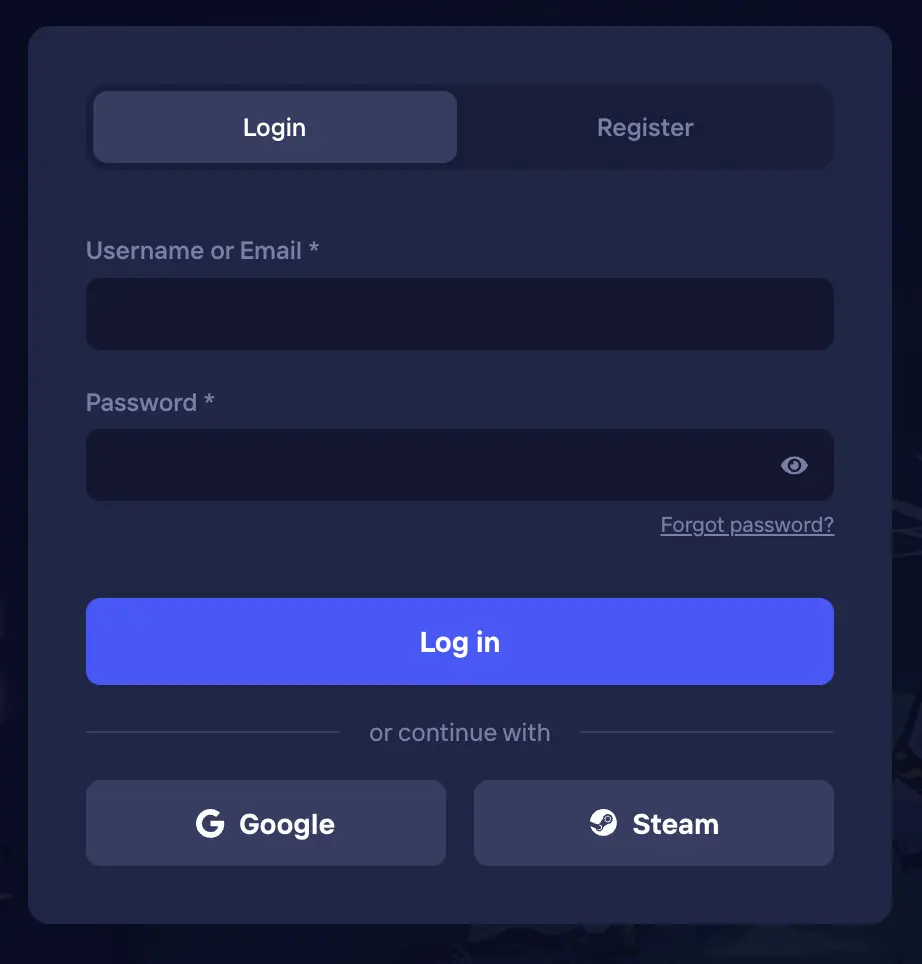
For those that undergo the Duel registration procedure, an automatic log in will be conducted for you afterwards. As for returning players, you’ll have to sign in by following this simple process.
- Select Log In – Choose the “Login” tab from the Duel Casino homepage.
- Provide Credentials – Insert your username/email and password for conventional login or choose to use your Google or Steam accounts.
- Access Account – Tap the “Log In” tab to complete the process.
In quick time, you’ll regain access to your account and continue from where you left off. Returning players have to make a Duel login for security reasons. We’ve noticed that many players forget to log out of their accounts after each session. Therefore, when our systems detect an extended period of inactivity, it automatically logs you out of your account so as to safekeep your data, funds and credentials.
Login Duel Via the Mobile Application
The same way you’re able to conduct a Duel sign up on mobile, you’ll also be able to log in via the mobile app. Britons who’re looking for a quick way to play can install our progressive web app on both Android and iOS to log in. Just like you would on the desktop site, select “Login,” enter your email or username and password and tap “Log In.” Alternatively, you can use your existing Google or Steam accounts to log in on mobile. The difference between desktop and mobile Duel Casino login is the smaller icons, that’s a consequence of the smaller screen of mobile devices.
Personal Data Security
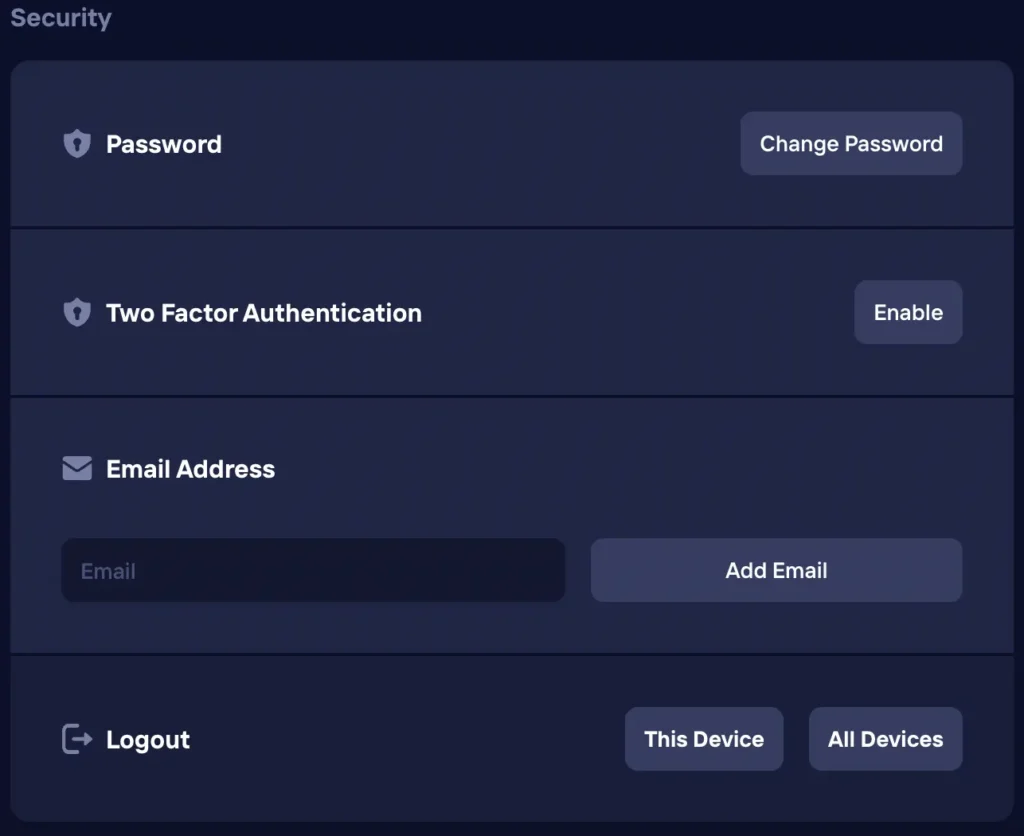
During the process of your Duel registration, verification or payment, we require that you provide us with certain details. Information such as your name, phone number, bank details, address, statement of account and more might be required. We understand that this data are personal and shouldn’t be treated with levity. Therefore, we’ve put all the necessary security procedures in place. Aside from the licence of authenticity from the Government of the Autonomous Island of Anjouan, Union of the Comoros, UK players will find the latest SSL encryption protocol, 2FA, anti-fraud programs, numerous firewalls, secure payment gateways to protect all the data.
Possible Duel Login Issues for New Players
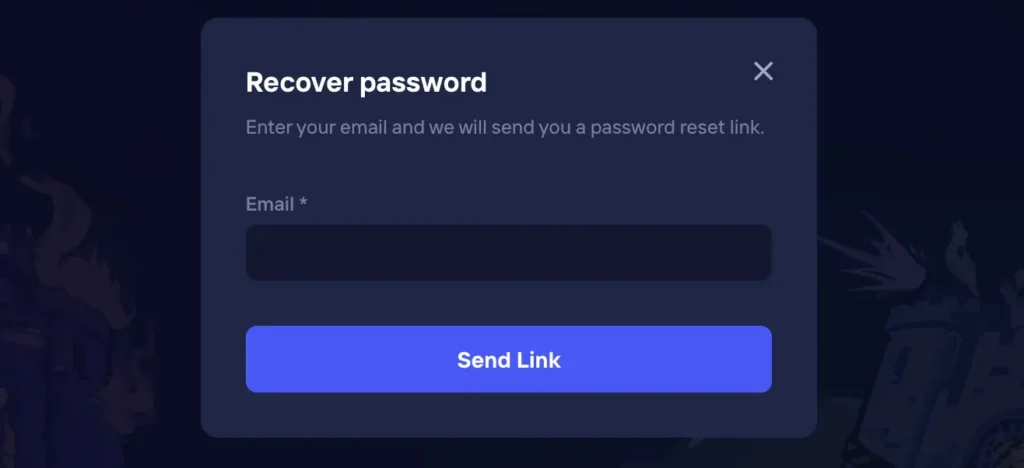
Newly registered members from the UK might encounter certain issues when trying to log in for various reasons. This could be due to the username, browser cookies, incorrect password, VPN issues, cache or more. First, check to see that you’re not using a VPN to mask your IP address, as this can cause interference with our security systems. Similarly, regularly clear your browser cache to remove expired data that also hinder successful Casino Duel login.
As well, login difficulties can be caused by an incorrect username or password. Therefore, ensure that your caps lock is on and off appropriately when inserting these details. If the login issue persists, kindly use the “Forgot Password?” option to reset your password.
How to Delete Your Duel Account
You can choose to delete your Duel registration and account details at anytime by following these steps:
- Complete Withdrawals – Finalise all pending transactions such as withdrawals.
- Contact Customer Support – Contact customer support through live chat or email and signify your intention to delete your profile.
- Give Feedback – Provide answers to a few questions regarding your decision.
Afterwards, your account will be deleted. Hence, your information will be removed from our database, and you won’t be able to use them to make another DuelCasino sign up.


